v1.2.0 • Stable
The Workflow Suite
for After Effects
Layer management, composition cleanup, and project utilities — all in one panel. Stop wasting time on repetitive tasks.
STRUCT
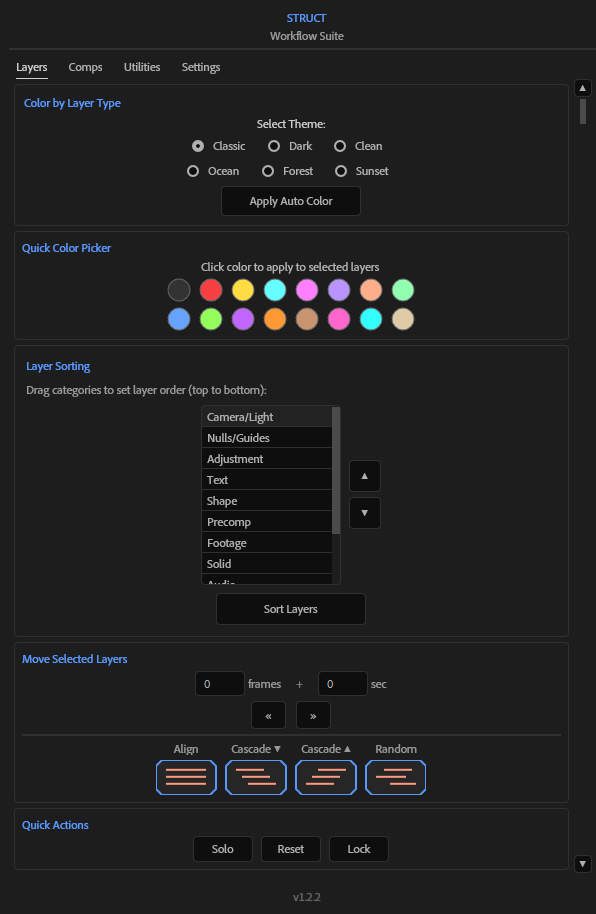
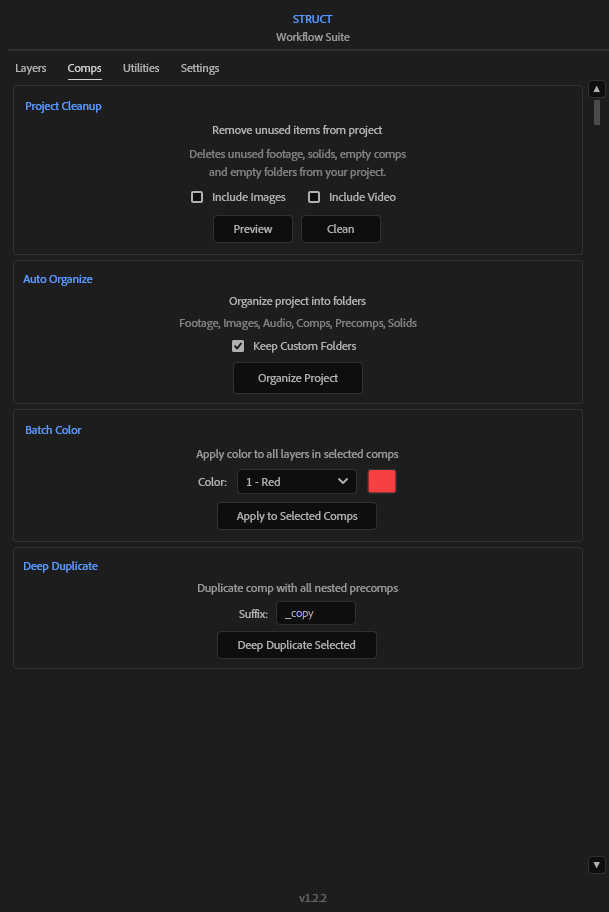
The complete workflow toolkit for After Effects. Four powerful tabs to manage layers, clean compositions, organize assets, and optimize your projects.
Layers Tab
Organize your timeline
Smart layer management that understands your workflow. Sort, group, and color-code with precision.
- Sort by type, name, or color label
- Smart grouping with auto-naming
- Batch select by layer type
- Quick visibility toggles
Comps Tab
Clean your project
Find and remove unused compositions, orphan layers, and project bloat with one click.
- Find unused compositions
- Detect orphan precomps
- Bulk delete with safety checks
- Project size analyzer
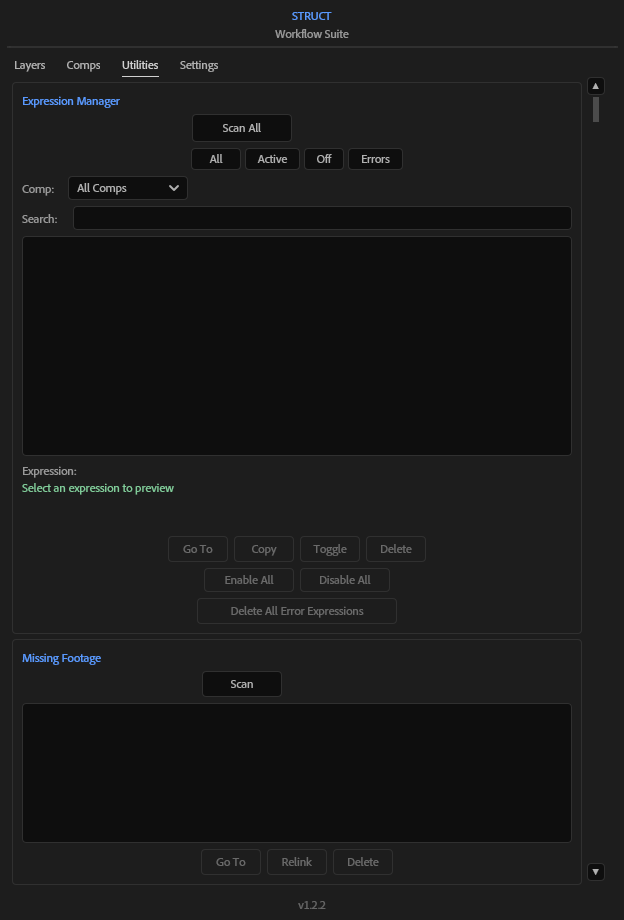
Utilities Tab
Debug & analyze
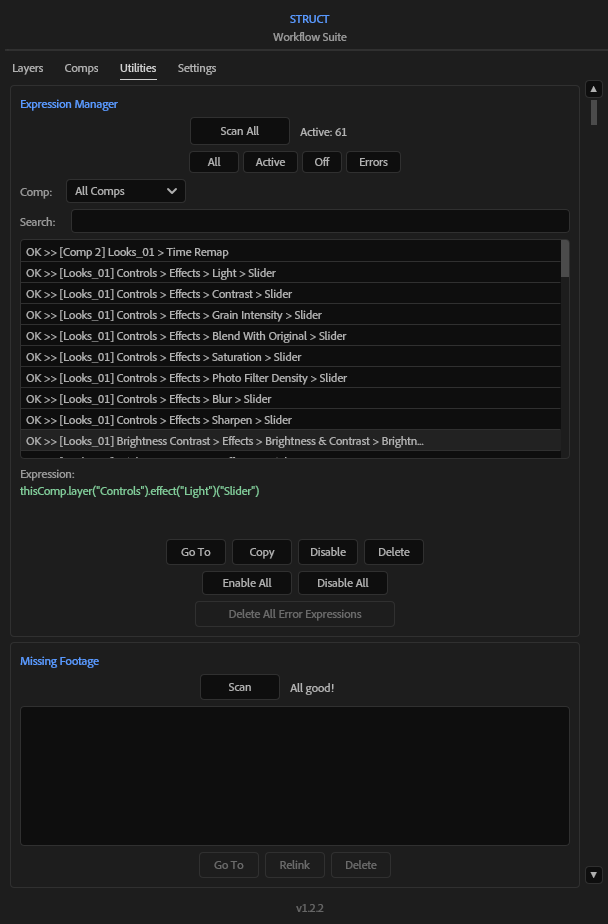
Manage expressions, find missing footage, and get detailed project statistics — all in one place.
- Expression Manager with bulk actions
- Find & relink missing footage
- Project statistics overview
- Delete error expressions
📦
Need help installing?
View Installation Guide →
v1.0 • Available
The all-in-one
text toolkit
Quality control, batch operations, and creative styling — everything you need to manage text layers in After Effects. Three powerful tabs, one panel.
TextLab
Pro
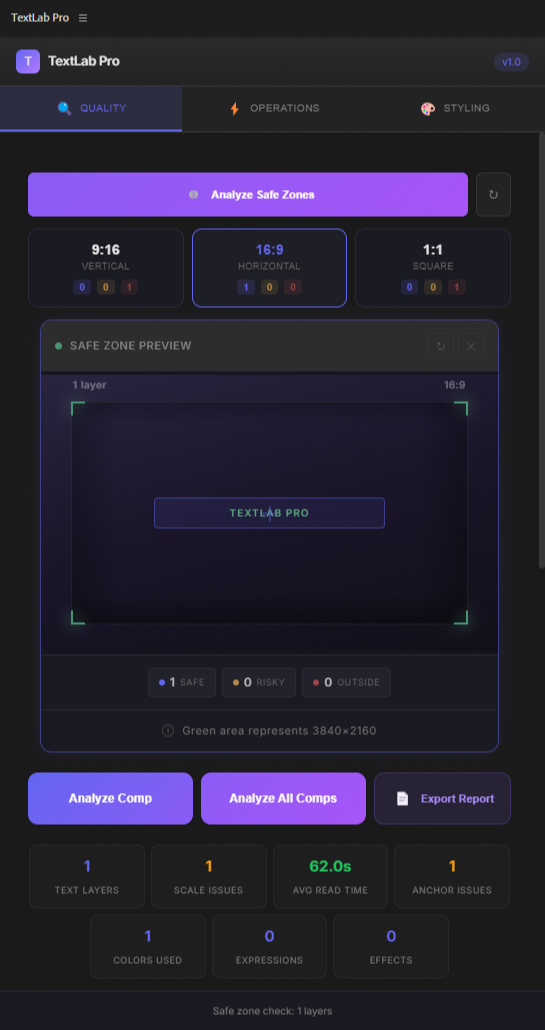
The all-in-one text toolkit for After Effects. Quality checks, batch operations, and professional styling — everything you need in one panel.
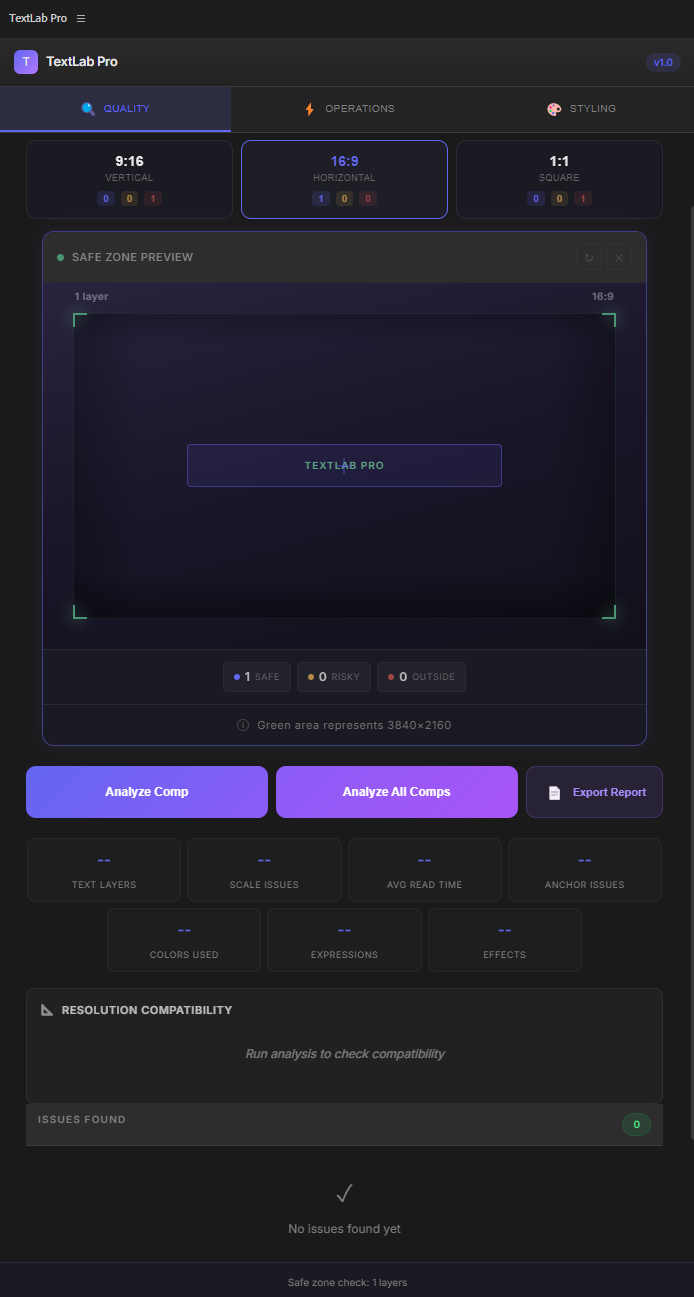
Quality Tab
Analyze and optimize your text
Comprehensive quality checks for broadcast and social media. Catch problems before they reach your audience.
- Safe Zone Overlay (YouTube, TikTok, Instagram)
- WCAG Contrast Checker with color picker
- Resolution Compatibility analysis
- Font Manager with batch replace
- Export detailed QC reports
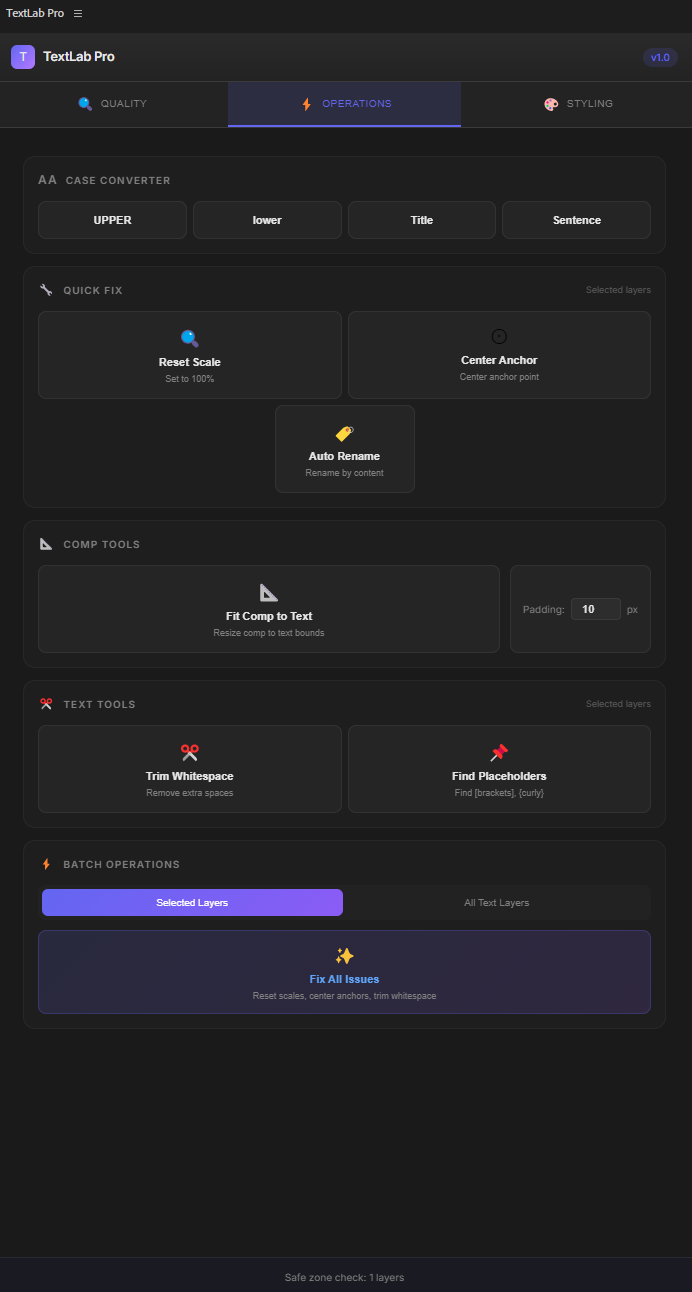
Operations Tab
Fix issues in seconds
Batch operations that save hours of manual work. Apply fixes to all text layers with one click.
- Case Converter (UPPER, lower, Title)
- Reset Scale & Center Anchors
- Fit Comp to Text bounds
- Trim Whitespace & Find Placeholders
- Fix All Issues — one button
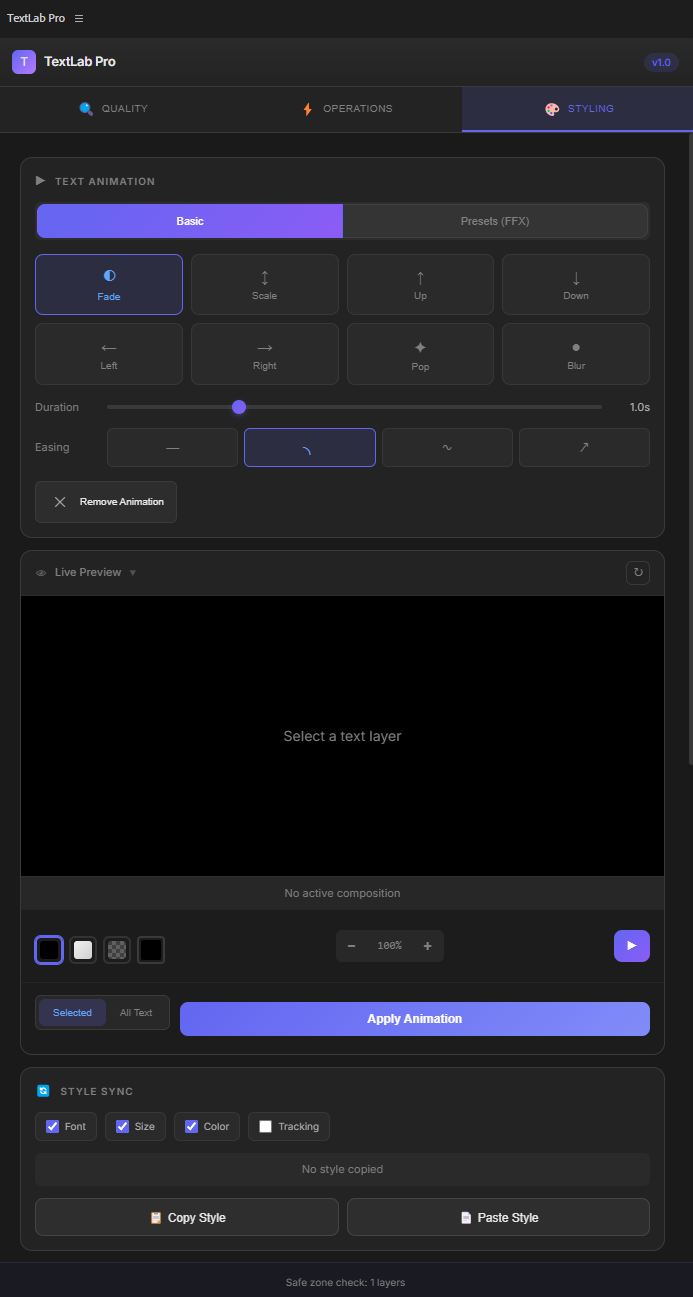
Styling Tab
Creative text effects
Professional animations and effects without writing expressions. Live preview everything before applying.
- 15+ Text Animations with FFX presets
- Style Sync across multiple layers
- Multi-Outline with custom colors
- Per-Character Color effects
- Stroke Reveal animation
Transform your text workflow
One-time purchase. No subscription.
$39 USD
📦
Need help installing?
View Installation Guide →
v1.0 • Available
140 expressions
with live preview
Browse, preview, and apply ready-to-use expressions with real-time parameter controls. No coding required.
Expression
Kit
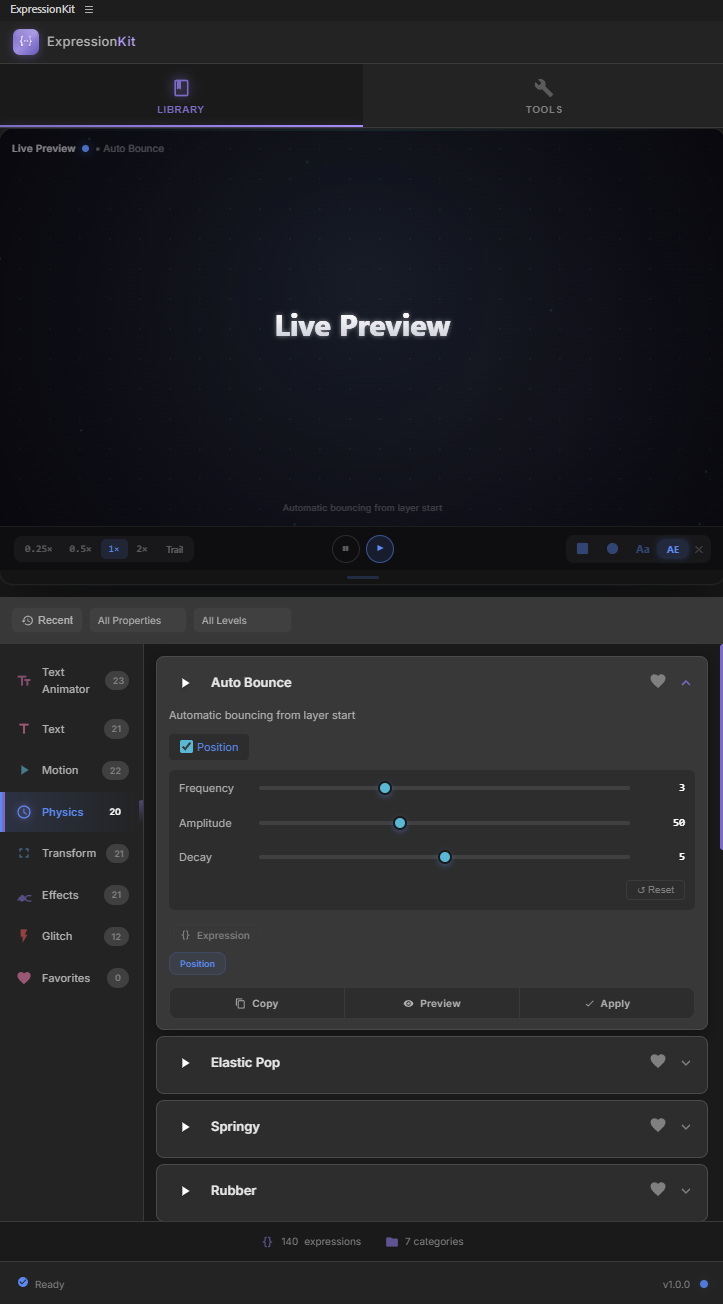
140 ready-to-use expressions across 7 categories. Click any expression, preview it live, adjust the parameters, and apply it to your layers in seconds.
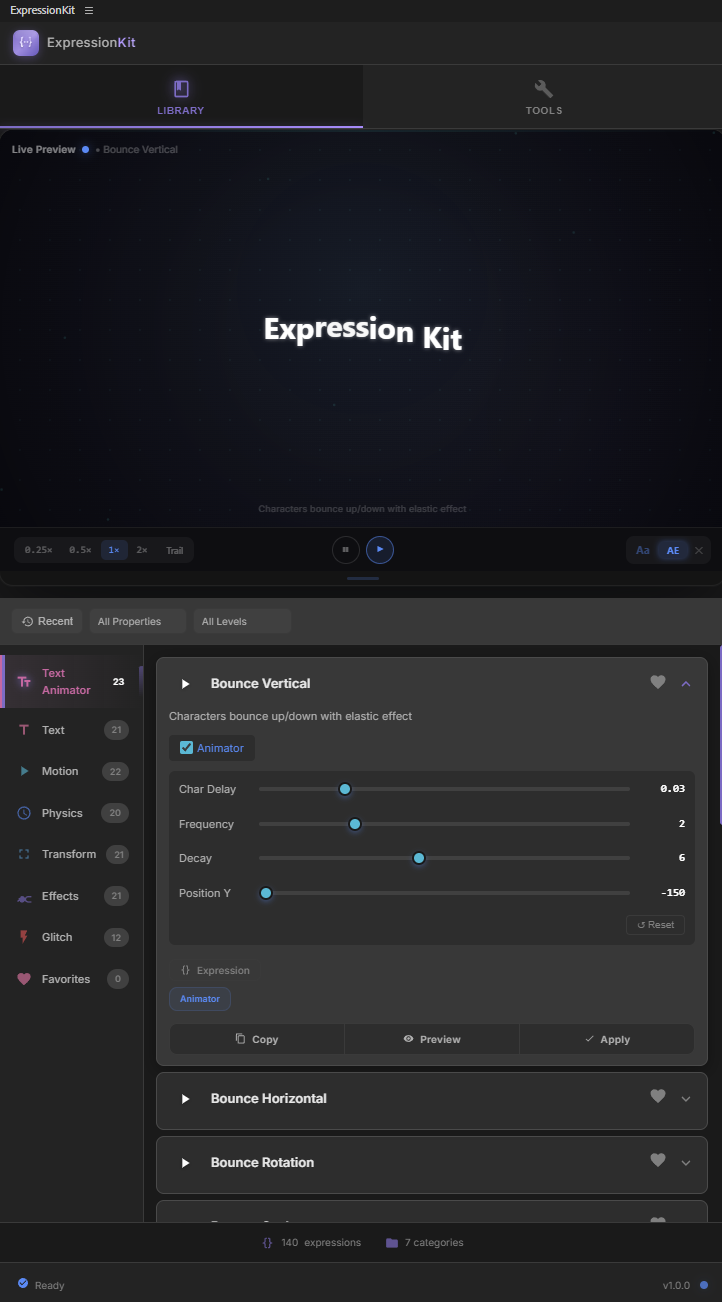
Expression Library
140 expressions, 7 categories
Browse by category, filter by property type, or check the difficulty level. From text animations to physics simulations, everything is organized and ready to use.
- 23 per-character text animations
- Motion, physics, and transform expressions
- Effects and glitch category
- Adjustable parameters per expression
- One-click apply to any property
Live Preview
See it before you apply it
Every expression has a real-time preview built into the panel. Adjust parameters and see the result update instantly before applying to your composition.
- Real-time animated preview
- Adjustable sliders for every parameter
- Preview updates as you change values
- No need to render to test expressions
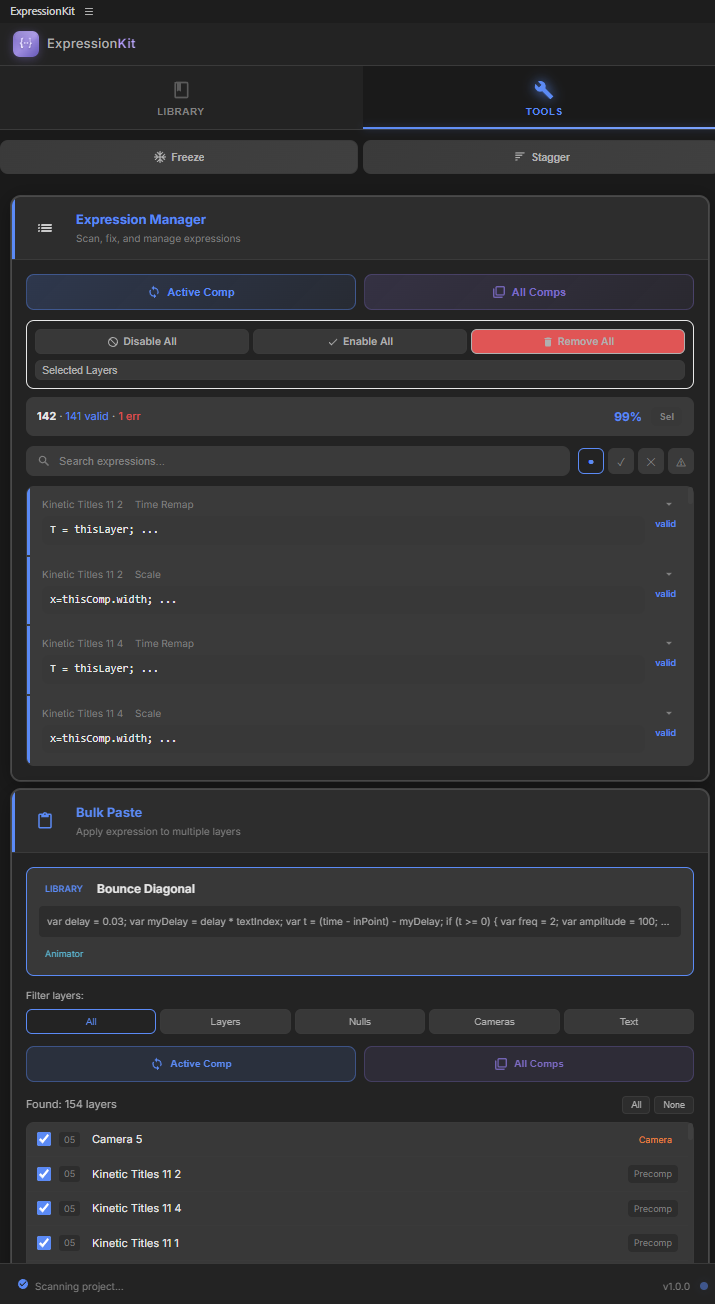
Workflow Tools
Manage expressions across your project
Three powerful tools to speed up your workflow. Stagger layers, freeze expressions, and manage all expressions in your project from one place.
- Stagger tool for frame-based delays
- Freeze expressions at any frame
- Expression Manager for bulk editing
- Enable, disable, or paste across layers
140 expressions, one panel
One-time purchase. No subscription.
$39 USD
 Buy on aescripts
📦
Need help installing?
View Installation Guide →
v1.0 • Available
Real-time
GPU fluid simulation
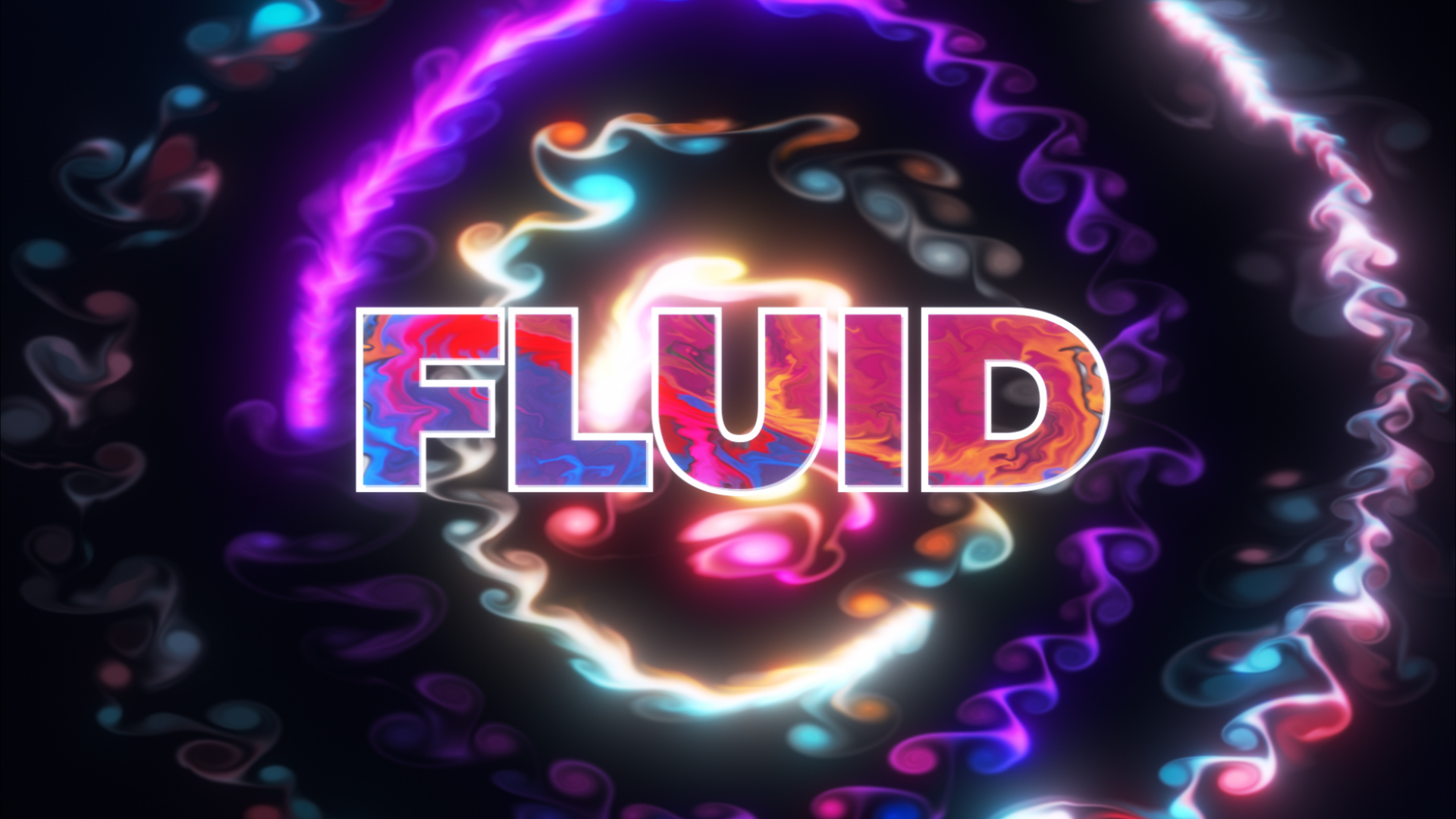
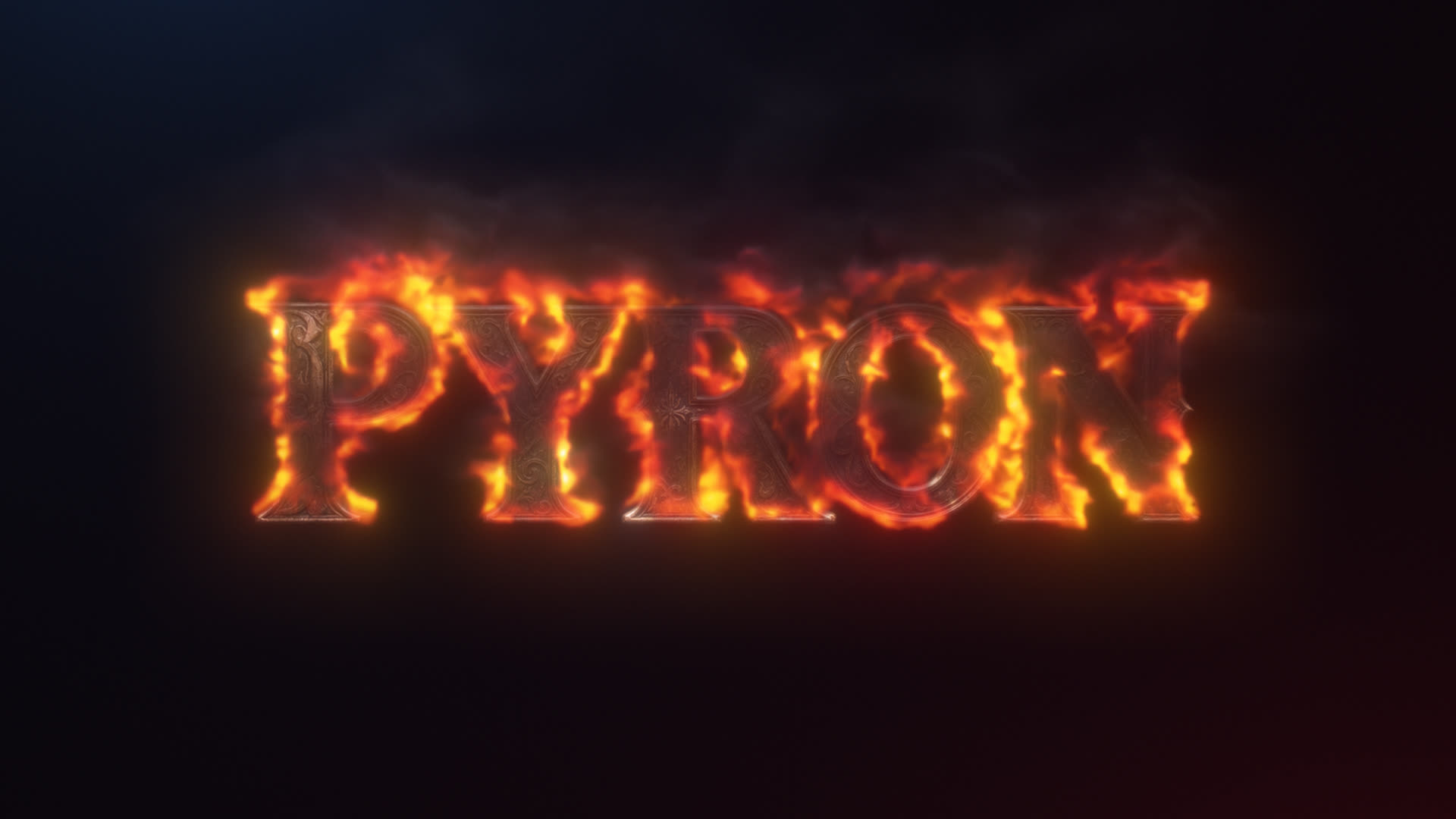
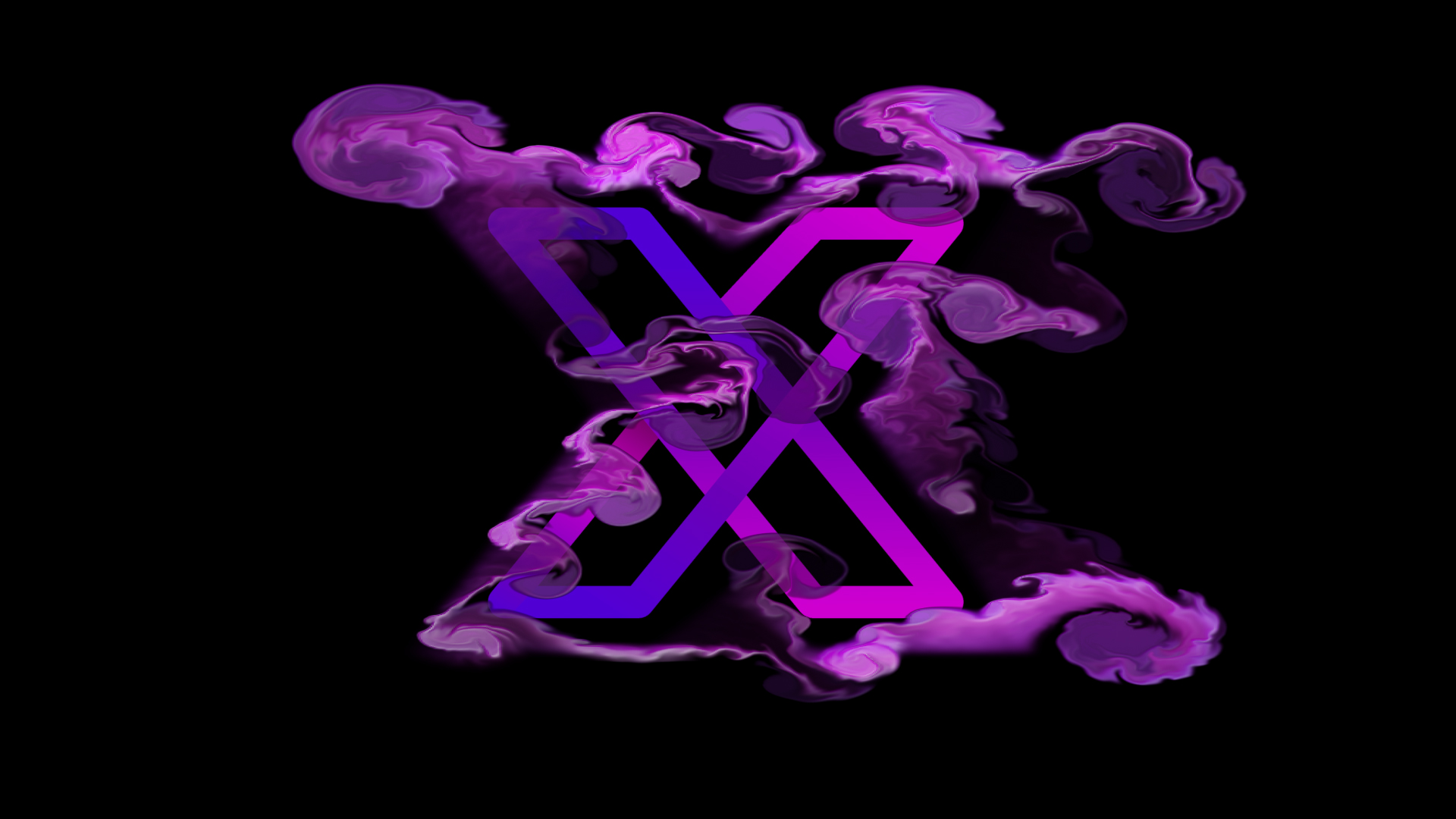
A native After Effects plugin that renders true Navier-Stokes fluid on your GPU. Use any layer as a source — logos, text, masks — and watch them dissolve into smoke, ink, or fire.
Fluid
No particle systems. No third-party render engine. Just a real fluid solver running on your graphics card — driven entirely by your After Effects layers.
Colorful
A full, rich color palette
Two emitter points, each with its own color and gradient mix. Cycle colors over time, randomize per-emit, or lock to a brand palette — every stream stays vibrant.
Color Mixing
Organic blending, not flat overlays
Colors mix where streams collide — exactly how real ink behaves. No baked transitions, no manual gradients. Every render is unique.
Physics
Gravity, wind, buoyancy, vorticity
Real fluid forces, not pseudo-effects. Pull plumes upward like smoke, sink them like ink in water, or add curl noise for organic detail — keyframeable per parameter.
Volume
Density-driven shading and bloom
Specular and rim lighting modulated by fluid density, plus a multi-pass bloom. The result reads as volume on screen — even though it renders flat in the comp.
Source Layer
Any layer becomes an emitter
Drop in a logo, a text layer, or a shape — Fluid reads its alpha and emits from every visible pixel. Animate the source's transform and the fluid follows, with proper edge normals and velocity tracking.
Turbulence
Procedural detail, no extra renders
Layered curl noise injects micro-detail into every frame. Tune the amount, scale, and speed to push smoke from clean and cinematic to chaotic and organic.
Quality
Standard to Extreme — your call
Four quality presets push the dye grid up to 4608² for hero shots while keeping previews fast. SSAA 2× and bicubic resampling clean up every edge.
Real-time GPU
OpenCL solver, no plug-in stack
Seven hand-tuned GPU kernels run the entire pipeline — inject, advect, divergence, pressure, gradient, render. Scrub the timeline and watch the simulation respond instantly.
Real fluid, native to After Effects
One-time purchase. No subscription.
$59.99 USD
📦
Need help installing?
View Installation Guide →
 Craft
TOOLS
Craft
TOOLS